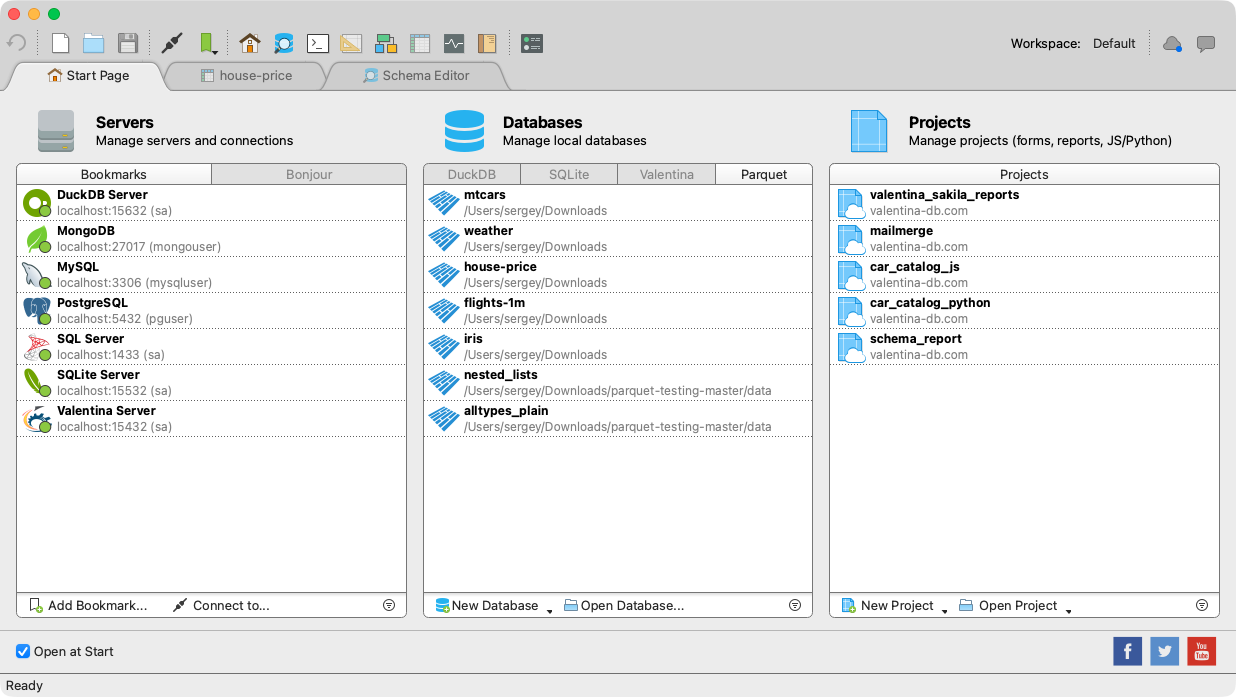
Valentina Studio PRO unifies SQL and NoSQL workflow in one cross‑platform tool, complete with built‑in Report and Forms Designers.
Valentina Studio is a powerful, cross-platform database management and development tool for data architects, developers, DBAs, teachers, and students — supporting both SQL and NoSQL workflows. Works with major cloud providers and vendors. Studio PRO adds significant, valuable features including Report Designer and Forms Designer.
Download Valentina Studio Now
Linux x64 (.deb) | Linux x64 (.rpm) | Linux ARM64 (.deb) | Linux ARM64 (.rpm) | macOS | Windows x64 | Windows ARM64 | Windows x32
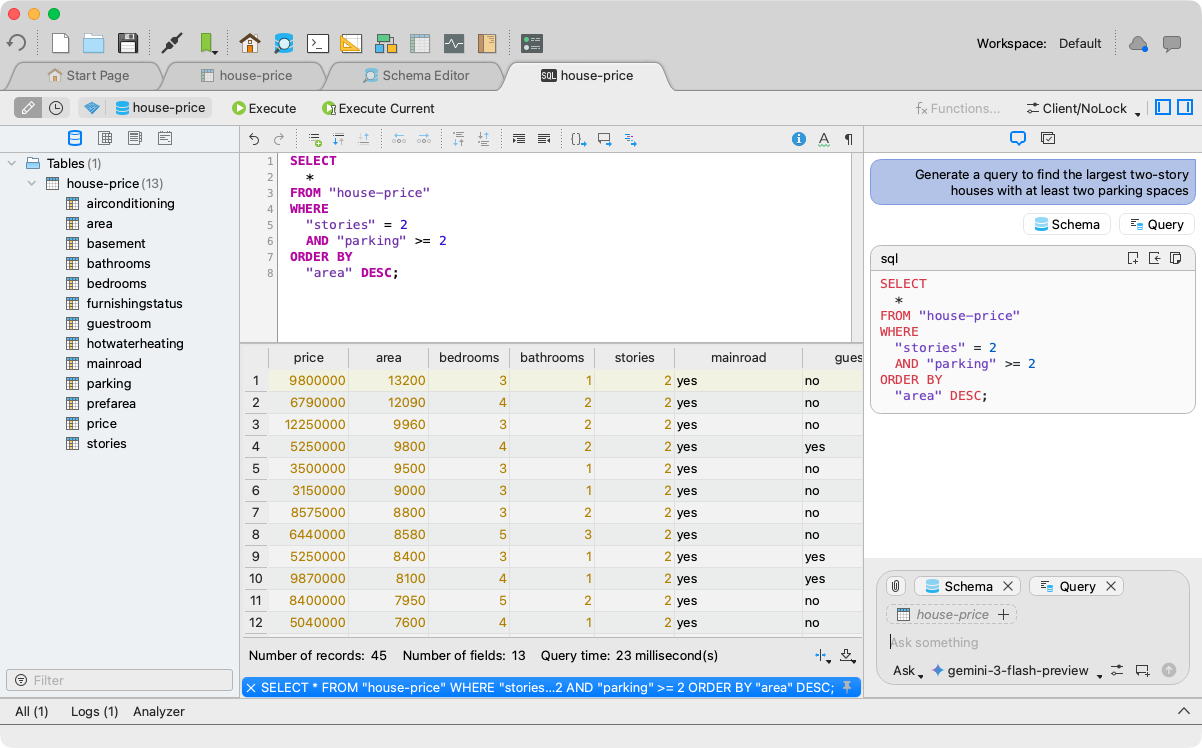
Free Studio Benefits At a Glance
Yes, Valentina Studio FREE version really is free and available on Linux, macOS and Windows. Scroll down to the additional features in Valentina Studio PRO.
General Highlights
Productivity
|
Use Valentina Reports
Use Valentina Forms
Utilities
Language Versions
|
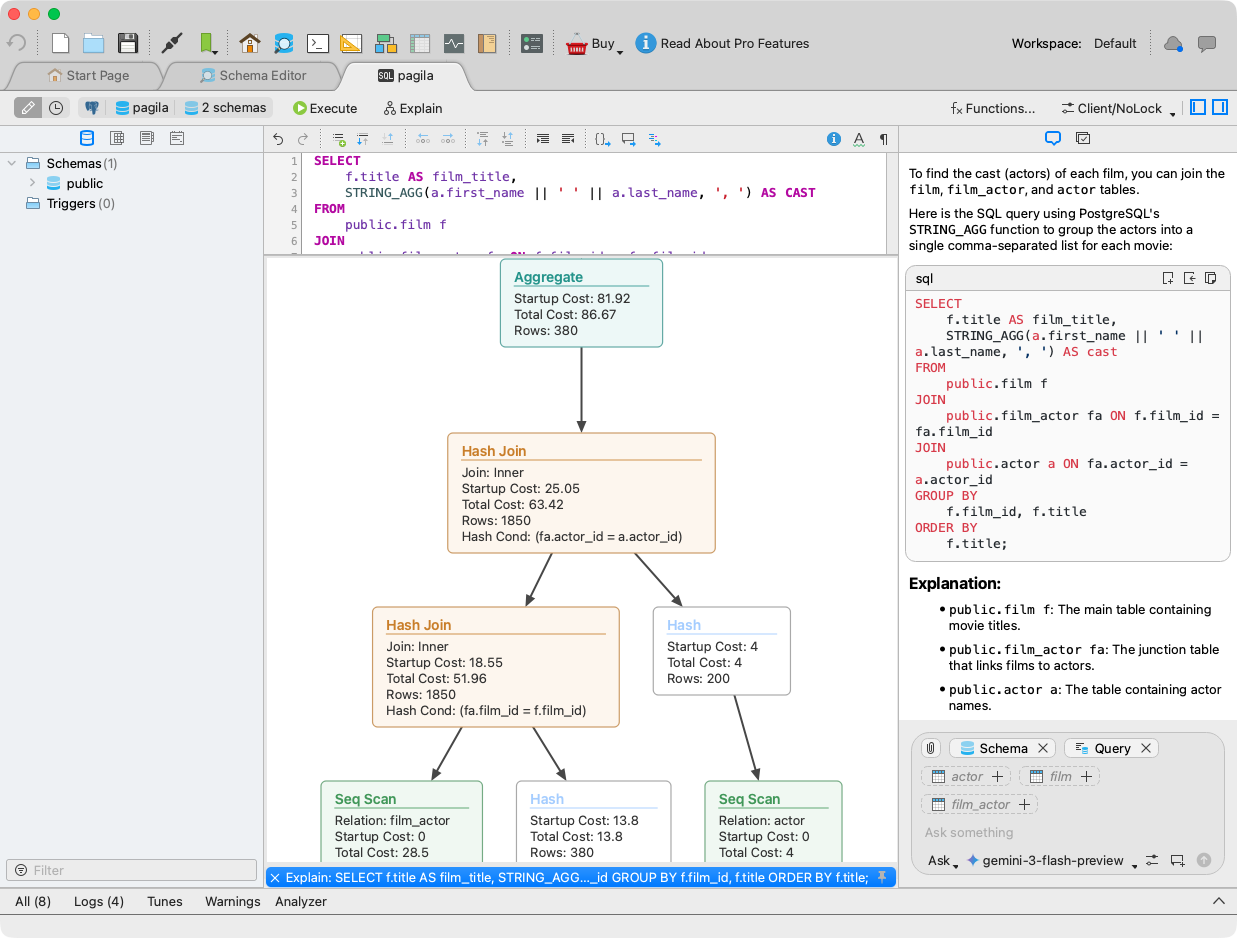
Studio PRO Benefits At a Glance
All the features of Studio FREE, plus enhancements to the core feature set and entirely new features...
Schema Editor Unleashed
Data Editor Unleashed
SQL Editor Unleashed
Query Editor Unleashed
|
Report Designer
Forms Designer
Utilities & Power Tools
|
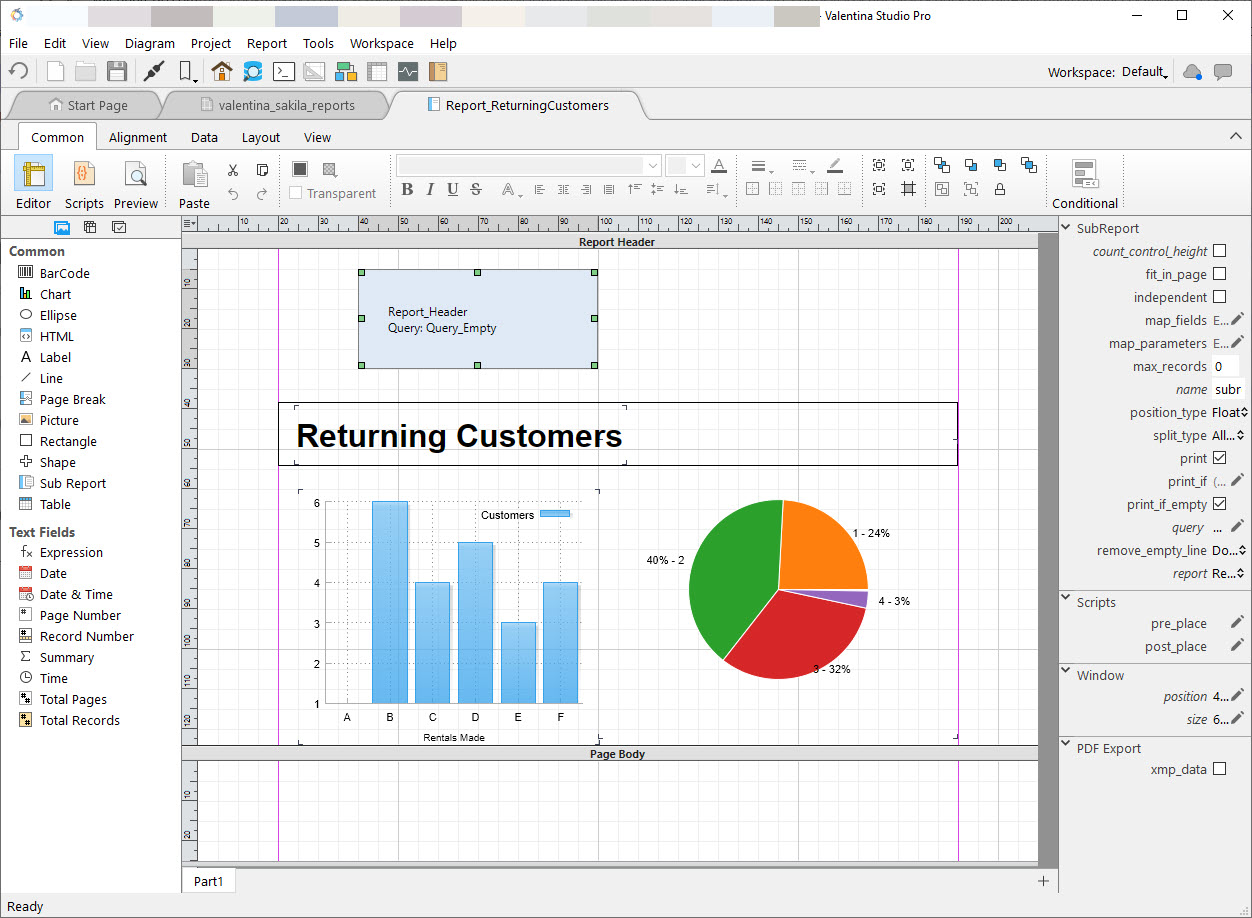
What's New in Valentina Since Omegabundle for Xojo 2025?
- 16.0 [New] [ValentinaDB] Valentina DB now has Extensions that allow users to extend the functionality of the database
- 16.0 [New] [ValentinaDB] Linear Regression Aggregate Functions
- 16.0 [New] [SQLite] SQLite support uses SQLCipher based encryption
- 16.0 [Imp] [Studio][Query Editor] Re-write of Query Editor and new design
- 16.1 [New] [Studio][Localization] Spanish language support
- 16.1 [New] [Studio][Localization] Polish language support
- 16.3 [New] [ADK] [VCLIENT] [COM] x64 and ARM64 support
- 16.3 [Imp] [Studio][SQL Editor] Insert or modify text in several positions at once.
- 16.3 [Imp] [Server] [VCLIENT] [PHP] PHP 8.5 support
- 16.3.1 [New] [Studio][Feedback] New 'Send Feedback' dialog to send issues to Paradigma dev team
- 16.5 [Imp] [ValentinaDB] Aggregate Functions become ValentinaDB extensions
- 16.5 [New] [Studio PRO] [AI] [SQL Editor] AI Chat with ASK and Agent modes
- 16.5.1 [New] [Forms] [Project] MailMerge automated email system
- 17.0 [New] [Studio] Valentina Studio for Windows ARM64
- 17.0 [New] [Studio] [Query Editor] Edit Query and auto-update apply changes to diagram
- 17.0 [New] [Studio PRO] [Data Transfer] Transfer records in batches
- 17.1 [New] [Studio] [Reports] Report Parameters are inheritable
- 17.1 [New] [Studio][Localization] French language support
- 17.1 [New] [Studio] [Forms] [DuckDB] Access DuckDB client and local factories by scripting
- 17.1 [Imp][Studio] [Query Editor] Support for generating UPDATE, DELETE, and INSERT queries
- 17.3 [New][ValentinaDB] [Algs][ARM] Vectorization on ARM, SIMD (Neon) CPU
- 17.3 [New][DuckDB] Support for the VARIANT field type
- 17.3 [New] [Studio][Localization] Japanese language support
- 17.3 [Imp][Studio][Schema Editor][ODBC] Primary Key property support for ODBC tables
- 17.3 [Imp][Studio][Diagram Editor] Attach an arbitrary SQL script to a table definition in a diagram
- 17.3.1 [New][ValentinaDB] [Algs][x86] AVX2 vectorisation, mostly for NON-INDEXED SEARCH AND SORTING
- 17.3.1 [New] [Studio][Localization] Korean language support
- 17.4 [New] [ADK] [VCLIENT] [ODBC] Supports DuckDB Server, SQLite Server (and ValentinaDB Server)
- 17.4 [New] [ADK] [VCLIENT] [ODBC] Supports local DuckDB files and local SQLite files
- 17.4 [New] [Studio][Parquet] Parquet file support
- 17.4 [New] [Studio][Reports] Parquet as a data source for Reports
- 17.4.2 [New] [Server][DuckDB] New INI parameters for DuckDB
- 17.4.2 [New] [Server][SQLite] New INI parameters for SQLite
- 17.4.2 [New] [Studio][Parquet] Open folders of Parquet files
- 17.4.2 [New] [Studio][Parquet] Display and modify Metadata of Parquet files
- 17.5 [New] [Studio] [Reports] export reports in ODS (OpenDocument Spreadsheet) format. ODT format already supported.
- 17.5 [New] [Server] Auto-create directories databases_duckdb and databases_sqlite for easy hosting
- 17.5 [New] [Studio PRO] [SQL Editor] Visual EXPLAIN for all databases that support the EXPLAIN statement
What's New in Valentina During Omegabundle for Xojo 2026
- 17.5.1 [New] [Server] Added server INI settings for user extension folders: Extensions_VDB, Extensions_DuckDB, and Extensions_SQLite
- 17.5.1 [New] [Server] [API] Added Valentina.SetUserExtensionsLocation() API for setting the user extensions folder before extension discovery
- 17.5.1 [New] [Studio] [Start Page] Added Parquet cloud examples that are available for download from the Start Page.
- 17.5.1 [Imp] [Studio] [Form Editor] Improved error handling when adding or updating records.
- 17.5.1 [Imp] [Studio] [Schema Editor] Record counts are now formatted using locale-aware separators (e.g. 1,000,000) in the Property Inspector.
- 17.5.1 [Imp] [Studio] [Data Editor] Find Columnavailable from the Records→Find Column… menu item and by shortcut: Cmd+Shift+K on macOS, Ctrl+Shift+K on Windows/Linux. Column lookup dialog now supports Up, Down, and Esc keys.
- 17.5.1 [Imp] [Studio] [Data Editor] Large record counts are now formatted using locale-aware separators (e.g. 1,000,000).
- 17.5.1 [Imp] [Studio] [Schema Editor][ValentinaDB] The database creation dialog now remembers the last used settings.
- 17.5.2 [New] [Studio] [Query Editor] Added column 'Nulls' to control “ORDER BY fld [NULLS FIRST | LAST]” clause.
- 17.5.2 [Imp] [Studio][Query Editor] Added an empty-scene placeholder with a message guiding users to add tables, views, or links. Adjusted the grid-line color for improved visual clarity.
- 17.5.2 [Imp] [Server] [Docker] Added the tzdata package and set UTC as the default timezone in the Valentina Server Docker image. You can specify a different timezone using the TZ environment variable
- 17.5.3 [Imp] [Forms] [Reports] [Scripts] [JavaScript] [macOS] Enabled the fetch function in the JavaScript extension. This allows JavaScript used in Forms, Reports, and scripts to retrieve data from HTTP/REST services.
- 17.5.3 [New] [Reports] [MongoDB] Added support for complex MongoDB reports with grouping, sorting, and SQL expressions.
- 17.5.3 [Imp] [Reports] Count summaries now use the configured value formatting
- 17.5.3 [Imp] [Reports] [ODBC] Added support for reading BLOB fields
- 17.5.3 [New] [Reports] [Examples] [Xojo] Added a set of self-contained VReport examples that use the same report layout with different datasources, including SQL (ValentinaDB, SQLite, MySQL, PostgreSQL, MSSQL, DuckDB, ODBC), NoSQL (MongoDB), JSON (passing flattened JSON records directly to MakeNewReportFromData, without a database or datasource string) and Scripts (Python, JS)
- 17.5.3 [New] [Reports] Added the new report export types to the export-type enum.
- 17.5.3 [New] [Studio] [Data Editor] Added Sort Ascending, Sort Descending, and Clear Sorting actions to the column context menu. The context menu indicates the active sorting direction.
- 17.5.3 [New] [Studio] [Report Editor] Added the evaluation_time property to Bar Code, Chart, Ellipse, HTML, Label, Line, Picture, Rectangle, and Shape controls. Use this property when a control must be evaluated after its normal placement time.
- 17.5.3 [Imp][Data Editor] Renamed Find Column to Go to Column in menus, tooltips, and the shortcut reference.
- 17.5.3 [Imp][SQL Editor] Improved static analysis and identifier resolution for UNION, UNION DISTINCT, and EXCEPTqueries.
- 18.0.1 [New] [Studio] [Server] [ValentinaDB][FTS] Added Full-Text Search (FTS) to ValentinaDB.
- 18.0.1 [New] [Studio] [Form Editor][AI] Added AI-assisted form development using AI Chat.
- 18.0.1 [New] [Studio] [Form Editor] Added ButtonBox, ScrollArea, ProgressBar, Spinner, and CodeEdit controls.
- 18.0.1 [New] [Studio] [Report Editor] Added a Chart.js report control.
- 18.0.1 [New] [Studio] [Form Editor] Added the Chart control to Forms.
- 18.0.1 [New] [Studio] [AI] Added favorite-model selection so each AI provider can show a focused model list.
- 18.0.1 [New] [Studio] [Query Editor] Added visual nested queries and SQL set operations.
- 18.0.1 [New] [Studio][Data Editor] Added multi-column sorting.
- 18.0.1 [New] [Studio] [Preferences] Added a search field for quickly locating preference options.
- 18.0.1 [New] [Studio] [Preferences] Added options for showing or hiding the menu bar, toolbar, status bar, and individual main-toolbar buttons.
- 18.0.1 [New] [Studio] [UI] Appearance makeover and native UI integration improvements.
- 18.0.1 [Imp] [Studio] [Form Editor][Layouts] The former BoxLayout is now represented by two separate layout controls.
- 18.0.1 [Imp][Scripts] Rewritten context-aware code autocompletion
- 18.0.1 [Imp] [Studio] [Start Page] Added separate local and server project lists and an opened-connections panel for servers.
- 18.0.1 [Imp] [Studio] [Data Editor] Added a Display Options submenu to column-header and empty-area context menus.
- 18.0.1 [Imp][Studio] [Report Editor] Added Shift+Arrow movement for adjusting selected controls by 10 pixels.
- 18.0.1 [New] [Server] [Security] Added first-install administrator credential setup.
- 18.1 [New] [Server] [Studio] [VCLI] Command Line Interface for ValentinaDB, SQLite, and DuckDB
- 18.1 [Imp] [Studio] [Query Editor] Added sorting and pagination to nested queries.
- 18.1 [Imp] [Studio] [Query Editor] Added database-specific pagination for SQL set operations.
- 18.1 [Imp] [Server] [Installers][Docker] Linux, macOS, and Windows installers and Linux and Windows container entrypoints now bootstrap the administrator before starting the normal service.
- 18.2 [New] [CLI] [vdump] Introduced vdump, a command-line utility for exporting and importing ValentinaDB databases.
- 18.2 [Imp] [CLI] [Output] Added automatic output formatting and made it the default for
vcli. Improved vertical headers, wrapped line endings, and terminal-width handling. - 18.2[Imp] [CLI] [Options] Reorganized vcli help and shared option parsing and validation between vcli and vdump.
- 18.2 [New][Studio][Appearance] Added new workspace-layout options under Preferences → Appearance.
- 18.2 [Imp][Studio][Appearance] Refined the integrated title bar, window controls, shadows, rounded corners, toolbar spacing, and icon sizing for Windows and Linux desktop styles.
- 18.2 [New][Studio][Bookmarks] Added bookmark folders and colors.
- 18.2 [Imp][Studio][Bookmarks] Improved connection-state feedback and bookmark actions.
- 18.2 [New][Studio][Start Page] Added an option to show an indicator next to projects and objects that are currently open.
- 18.2 [Imp][Studio][Form Editor][Script Editor] Added breadcrumb selectors for navigating forms and scripts inside a project.
- 18.2 [Imp][Studio][Scripts] Code editors now validate supported language syntax in the background.
- 18.2 [Imp][Studio][Scripts][Autocompletion] Improved JavaScript and Python code completion.
- 18.2 [Imp][Studio][Scripts] Pressing Enter in the code editor now preserves the current line's leading indentation.
- 18.2 [Imp][Studio][Scripts] The Home key now switches between the first non-whitespace character and the beginning of the line. Shift+Home extends the selection.
- 18.2 [Imp][Studio][Script Editor] Integrated the Execute action into the script editor's standard toolbar.
- 18.2 [Imp][Studio][Scripting API] Added more ways to construct QPixmap values from dimensions, files, and byte arrays. QImage and QPixmap values can now be converted to PNG byte arrays.
- 18.2 [New][Studio][Form Editor][Chart] Added a Rounded option for Chart.js controls.
- 18.2 [New][Studio][Report Editor][Chart.js] Added support for rounded bar corners and rounded legend markers.
- 18.2 [Imp][Studio] [Form Editor] New forms now store an explicit Forms API version to support reliable format migration in future releases.
- 18.2 [New] [Server] [CLI] Added the vdump database export and import utility alongside vcli.
 Ω
Ω